How do I connect a CASSY to my Wi-Fi?
Select the correct Wi-Fi on the CASSY
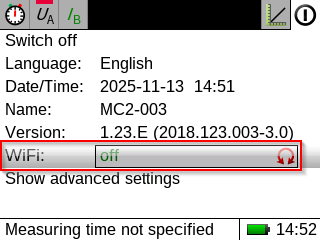
Open the settings menu at the top right of the display of the CASSY. Select your network in the menu item WiFi.
Is your Wi-Fi not on the list?
You must save the password for your Wi-Fi into your CASSY once. After that, you can easily use it with all your devices.
On the CASSY, select Wi-Fi Connect to new WiFi. Then scan the QR code to start the Wi-Fi setup.